Loading...
Loading...
Loading...
Loading...
Sundance Spas
Details:
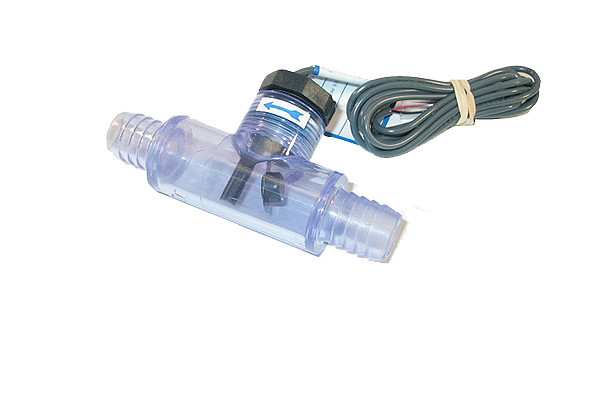
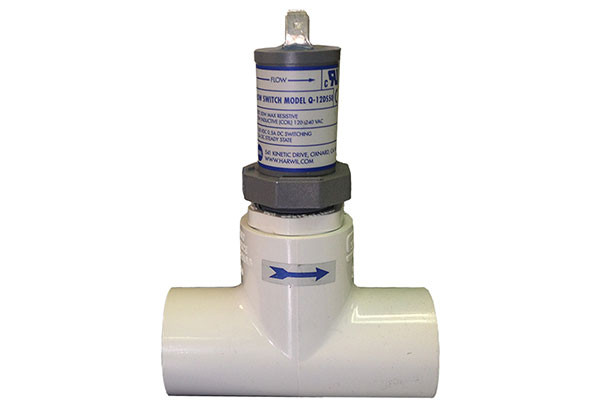
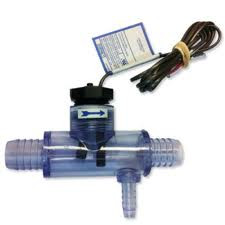
Flow Switch with Transparent Tee 3/4 inch barb with s 3/8 inch barb off the side. We offer only as complete unit with plastic housing (clear plastic housing is not sold separately)
3/4" Barbed. Replaces part number 6560-858
Manufactured by Harwil
Used On the Following Spa Models:
Installation:
Click here for video instructions on replacing your flow switch
Please note: The video mentions a small reducer plug that needs to be added. The part now no longer needs that part since it is manufactured with the reducer.
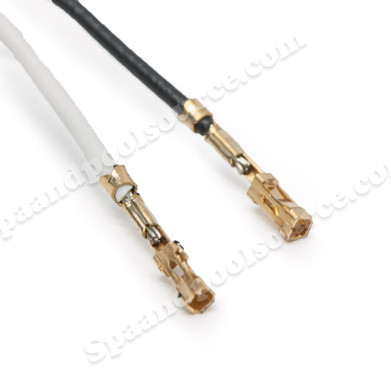
The connectors on the Flow Switch are attached to a PC Board connector that is located on the PC Board (usually at the top). There are other wires connected to this plug:
To remove a sensor or switch wire from the sensor harness connector, insert a paper clip into the slot corresponding with the wire to be removed. This will depress the pin tine, allowing the wire to be pulled from the harness connector.
Jumper interlock wire, Flow Switch, High Limit sensor, and Temp sensor
Remove the pin connector from the board.
Important! When reinstalling the sensor or switch wire back into the sensor harness connector, make sure the pin tine is lifted (approx. 1/32") prior to inserting the wire. This will ensure the sensor wire locks into the harness connector. Do not over bend the pin tine or it may break off.
Troubleshooting:
A defective flow switch will cause a "Flashing Flo" or "Solid Flo" on the Control Panel Icon.
Flow Switch, Circulation Pump (clogged or defective), or Dirty Filter
"Solid Flo" is the Flow Switch
"Flashing Flo" could be:
No reviews have been added for this product.
Sundance Spas
Details:
Flow Switch with Transparent Tee 3/4 inch barb with s 3/8 inch barb off the side. We offer only as complete unit with plastic housing (clear plastic housing is not sold separately)
3/4" Barbed. Replaces part number 6560-858
Manufactured by Harwil
Used On the Following Spa Models:
Installation:
Click here for video instructions on replacing your flow switch
Please note: The video mentions a small reducer plug that needs to be added. The part now no longer needs that part since it is manufactured with the reducer.
The connectors on the Flow Switch are attached to a PC Board connector that is located on the PC Board (usually at the top). There are other wires connected to this plug:
To remove a sensor or switch wire from the sensor harness connector, insert a paper clip into the slot corresponding with the wire to be removed. This will depress the pin tine, allowing the wire to be pulled from the harness connector.
Jumper interlock wire, Flow Switch, High Limit sensor, and Temp sensor
Remove the pin connector from the board.
Important! When reinstalling the sensor or switch wire back into the sensor harness connector, make sure the pin tine is lifted (approx. 1/32") prior to inserting the wire. This will ensure the sensor wire locks into the harness connector. Do not over bend the pin tine or it may break off.
Troubleshooting:
A defective flow switch will cause a "Flashing Flo" or "Solid Flo" on the Control Panel Icon.
Flow Switch, Circulation Pump (clogged or defective), or Dirty Filter
"Solid Flo" is the Flow Switch
"Flashing Flo" could be: